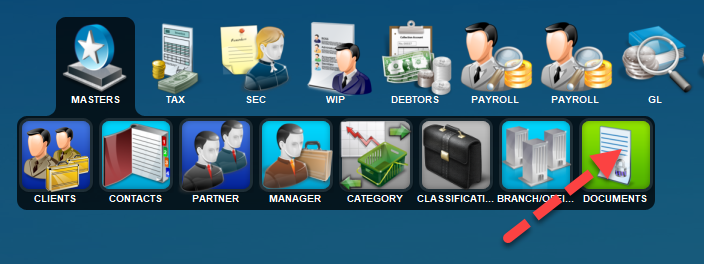
From the Master Menu you will see the Documents menu option. This option has a view of every document in the system with very strong filtering features to help track manage and control.
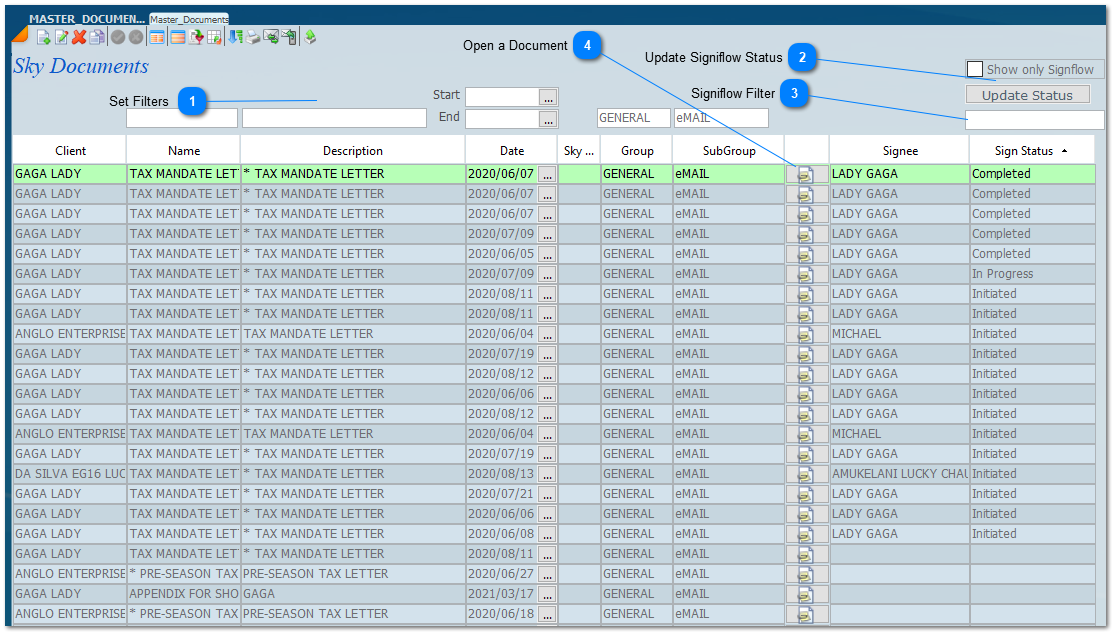
By selecting this option an enquiry screen will open listing all the documents that have been saved in wherever documents are found. Documents are stored when File is clicked when sending an email, the documents are saved in the documents tab including the Digital Signature documents. There are filters that will allow you to select various types of documents as well as an ability to track and control all those documents that were sent using the digital signature option. Listed below are some of the options that have been annotated.
Set Filters
Filter on any of the fields to display the documents you want. The 1st cell is Client name and the 2nd is letter name. After entering data press enter and the screen will show the data you are looking for. There is a date filter and a document Group and Sub Group Filter.
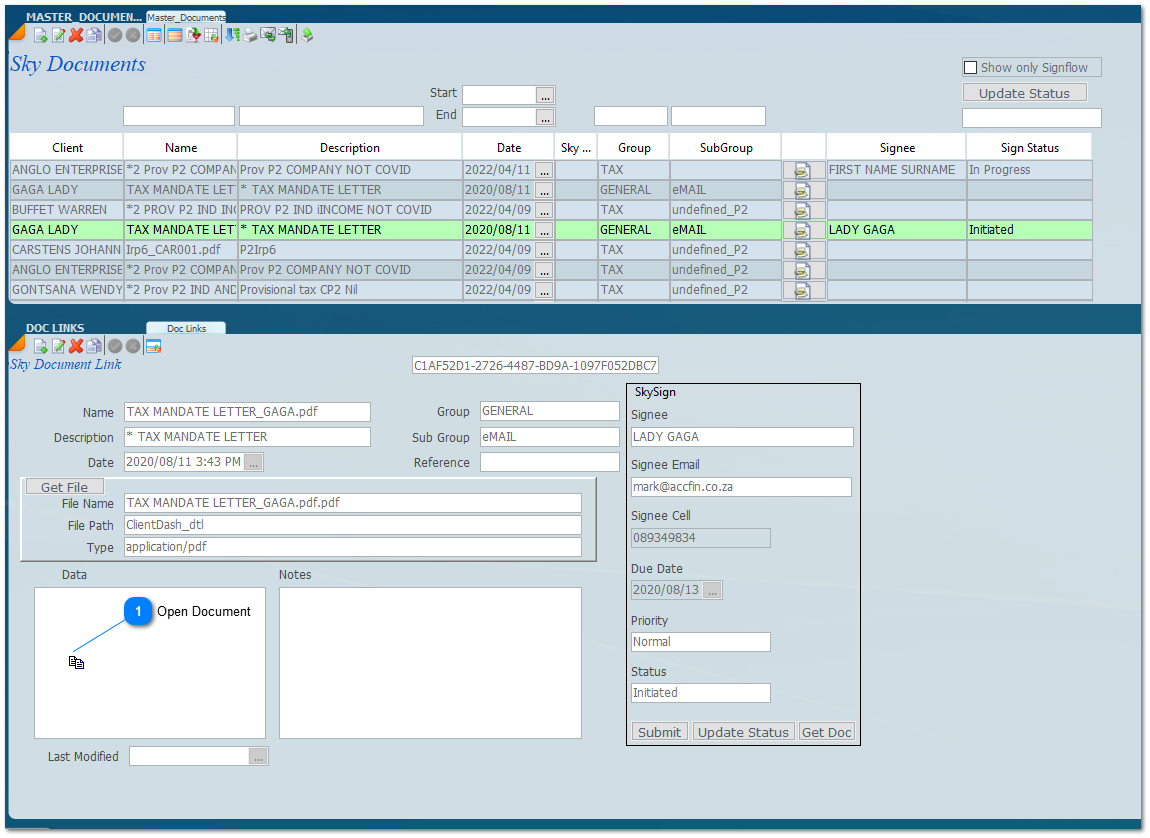
Click on a record and then the document icon if to open the document. In order to see the digital signature aspects of a document stretch the bottom of the screen to open the The Sky Document Link screen as shown below and you will see the various views of the document and the interaction with the digital signature system.








 if to open the document. In order to see the digital signature aspects of a document stretch the bottom of the screen to open the